11 Android Quick Settings shortcuts that save time

The average Android user swipes down their notification shade dozens of times a day, often just to toggle Wi-Fi or adjust brightness. However, treating this space as a simple switchboard is a missed opportunity. In this article, you’ll discover the most practical hidden shortcuts you can add to your Quick Settings panel for faster access to everyday tools.

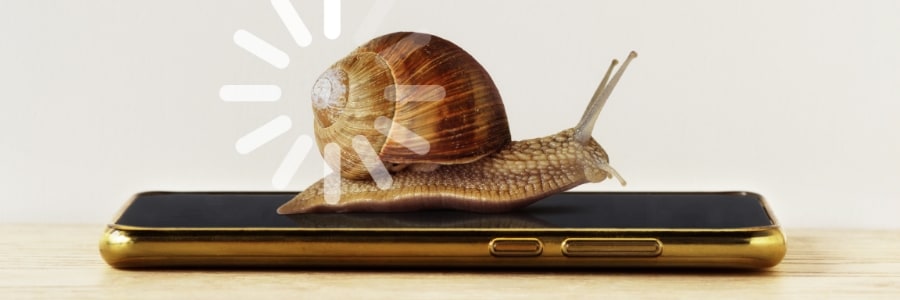
Don’t buy a new phone just yet: Try these easy Android speed hacks first

Laggy apps, storage warnings, and slow response times don’t mean it’s time for a new phone. In this article, we’ll walk you through practical steps to revamp your Android and get it running like new without spending a dime.
1. Uninstall unused apps
Old apps often continue running quietly in the background and slow your phone down.

The Android rotation fix you didn’t know you needed

If you’ve ever had your phone flip to landscape mode at the worst possible time, you’re not alone. But you don’t have to let clumsy screen rotation ruin your scrolling or streaming experience. Here’s how one lightweight Android app fixes the problem once and for all, with per-app controls and smart rotation settings that just make sense.

Indispensable Android apps for smarter and more productive work

With so many productivity tools available for Android, choosing the best apps can become overwhelming. This article cuts through the noise, offering a curated list of must-have apps, from powerhouse office suites to smart scanning tools, so you can stay focused and get more done, no matter your work location.

Simple steps to fortify your Android device

Your Android phone holds much more than just contacts and apps — it stores your personal, financial, and professional data. With cyberthreats growing in both number and sophistication, you need to be proactive about device security. This guide will walk you through the most common threats and show you how to defend your Android phone against them.

Android 15 advanced tricks you’ll actually use

Whether you’re on Google Pixel, Samsung Galaxy, or any Android 15-powered device, this guide walks you through 20 advanced tricks that make your mobile device more efficient, secure, and tailored to your personal preferences and needs.
Notification Cooldown (for Google Pixel devices only)
Reduce notification fatigue with Notification Cooldown, which automatically lowers the volume of repeated alerts from the same app.

Top 7 Android accessories to maximize your smartphone’s potential

Your Android smartphone already does so much, but with the right accessories and peripherals, it can become an even more powerful tool. Discover some of the best Android accessories that every user needs today.
High-performance wireless charger
Wireless charging offers ultimate convenience when it comes to keeping your phone powered up.