
Gone are the days of waiting for a full OS update to address urgent vulnerabilities. With Background Security Improvements, Apple devices can now automatically and discreetly remain protected in real time, redefining what it means to stay secure in today’s ever-evolving digital landscape.
Apple rolls out Background Security Improvements on iPhone and Mac devices

Mac growth surges as Windows 10 reaches end of support

The end of Windows 10 support has triggered one of the largest hardware refresh cycles in years, and businesses are using this moment to rethink their technology choices. With AI-ready performance and long-term value becoming top priorities, Macs are gaining ground and transforming how organizations plan their future fleets.
iOS 26 camera flash: When to use each setting for the best results

The iOS 26 update isn’t just about aesthetics but also about functionality. For one, it makes using your iPhone's camera flash smarter and easier than ever. In this guide, we’ll show you how to access the flash through the new interface, toggle it on/off, and explain when to use each setting for the best results.
From clicks to keys: Smarter ways to use your Mac

For many Mac users, the mouse is the primary tool for navigation. However, constantly reaching for it can disrupt your flow and hinder productivity. This is where keyboard shortcuts come in. By keeping your hands on the keyboard, you can maintain a smooth flow, stay organized, and seamlessly manage multiple apps without unnecessary interruptions.
How to securely manage your business’s Apple devices and accounts

As Apple’s footprint in the enterprise grows, so do the challenges of managing user identity across macOS and iOS. This article explores the intricacies of Apple identity management, offering insights into best practices for seamless integration with modern identity providers and mobile device management (MDM) platforms.
Running out of Mac storage? Clean out these hidden files today

macOS is great at hiding system clutter from users, but not all hidden files are necessary to keep. In this guide, we shine a light on the hidden directories quietly hogging your Mac’s storage. Learn how to uncover them, understand which ones are safe to delete, and pick up smart tips for keeping your system clean and responsive.
Activate Siri on macOS without giving Apple access to your contacts
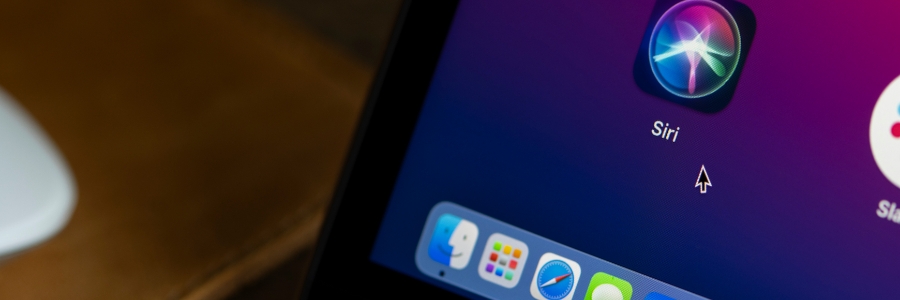
Mac users love the convenience of Siri for performing quick tasks or finding information. However, enabling Siri on macOS often comes with a privacy tradeoff: sharing your contacts and more with Apple. While this may not seem significant to some, it raises valid concerns for users deeply invested in safeguarding their personal data.
Streamline your business with effective Apple device management

A well-managed fleet of Apple devices can boost productivity and security while reducing IT headaches. But how can businesses effectively monitor, secure, and maintain their Apple ecosystem? We explore the best systems to keep your company’s Apple devices running smoothly and securely.
Mac resale preparation: A how-to guide

If you’re getting ready to sell your old Mac, don’t forget to both properly back up your files and wipe it of your personal data. You don’t want to lose anything irreplaceable, nor do you want to expose yourself to things like identity theft. To avoid either outcome, follow these steps.
Got a new Apple MacBook? Here’s how you can set it up properly

Tailor your MacBook experience to your unique preferences with our simple setup guide, where we'll cover the basics, such as creating your Apple ID and customizing your desktop. Whether you're a tech enthusiast or a first-time Mac user, this guide will help you make the most of your new MacBook.
