
The end of Windows 10 support has triggered one of the largest hardware refresh cycles in years, and businesses are using this moment to rethink their technology choices. With AI-ready performance and long-term value becoming top priorities, Macs are gaining ground and transforming how organizations plan their future fleets.
Mac growth surges as Windows 10 reaches end of support

Apple’s M5 MacBook Pro: The AI-powered laptop you’ve been waiting for

Powered by Apple’s cutting-edge M5 chip, the new 14-inch MacBook Pro is engineered to empower both professionals and enthusiasts. It delivers revolutionary AI capabilities, superior performance across all tasks, and an impressive battery life of up to 24 hours.
Got a new Apple MacBook? Here’s how you can set it up properly

Tailor your MacBook experience to your unique preferences with our simple setup guide, where we'll cover the basics, such as creating your Apple ID and customizing your desktop. Whether you're a tech enthusiast or a first-time Mac user, this guide will help you make the most of your new MacBook.
Maximizing your MacBook’s battery life and life span
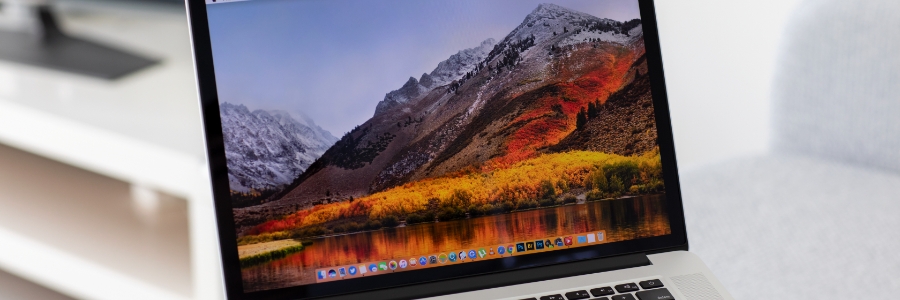
For many small- and medium-sized business owners, their MacBook is their lifeline to productivity. This is why maximizing its battery life can be a game-changer. In this article, we'll explore practical tips to help you squeeze every last drop of power from your MacBook, ensuring you stay powered up throughout your workday.
Easy ways to lock your Mac when you’re away from keyboard

Locking your Mac when you're away from your desk is a simple way to protect your privacy and security. It only takes a few seconds, and it can save you a lot of trouble in the long run. Whether you're grabbing a coffee or dashing to a meeting, the following tips will keep your Mac data safe and your mind at ease.
Malware that can infect your Apple computer

If you've been noticing strange behavior on your Apple computer lately, it could be infected with malware. Read on to learn about the common types of Mac malware and how to detect them.
Types of malware that can target your Mac
The following types of malware can be highly disruptive and cause considerable damage to your Mac.
Keyboard shortcuts MAC users should know

Some Mac users have been using their devices for years and still do not know many of the keyboard shortcuts designed to make users’ lives easier. Here are some of the most helpful ones users like you should learn.
Minimize or dock the front app window: Command + M
If you have several open apps, browsers, and Finder windows, use this shortcut to minimize the front window to the Dock.
Are Macs immune to malware?

Windows computers tend to deal with an assortment of malware, but many people fail to realize that even Apple computers face similar threats. As cybercriminals have become more adept at finding exploits and other vulnerabilities, more and more Macs have also fallen prey to malware.
Setting up your brand-new MacBook

When setting up your new MacBook, it’s important not to rush through the setup process. Otherwise, you might miss out on several key steps that will help make you get the most out of it. Here’s a guide to setting up your MacBook, plus some useful tweaks to further improve its performance.
Protect your Mac from these threats

Through the years, Apple products have shown resistance to different kinds of malware that Microsoft computers weren’t able to dodge. This, however, does not mean that Macs are invulnerable. Here are some threats you should watch out for to keep your Mac protected.
- 1
- 2
