
Powered by Apple’s cutting-edge M5 chip, the new 14-inch MacBook Pro is engineered to empower both professionals and enthusiasts. It delivers revolutionary AI capabilities, superior performance across all tasks, and an impressive battery life of up to 24 hours.
Apple’s M5 MacBook Pro: The AI-powered laptop you’ve been waiting for

Got a new Apple MacBook? Here’s how you can set it up properly

Tailor your MacBook experience to your unique preferences with our simple setup guide, where we'll cover the basics, such as creating your Apple ID and customizing your desktop. Whether you're a tech enthusiast or a first-time Mac user, this guide will help you make the most of your new MacBook.
Keyboard shortcuts MAC users should know

Some Mac users have been using their devices for years and still do not know many of the keyboard shortcuts designed to make users’ lives easier. Here are some of the most helpful ones users like you should learn.
Minimize or dock the front app window: Command + M
If you have several open apps, browsers, and Finder windows, use this shortcut to minimize the front window to the Dock.
Setting up your brand-new MacBook

When setting up your new MacBook, it’s important not to rush through the setup process. Otherwise, you might miss out on several key steps that will help make you get the most out of it. Here’s a guide to setting up your MacBook, plus some useful tweaks to further improve its performance.
How to connect an external monitor to your Mac
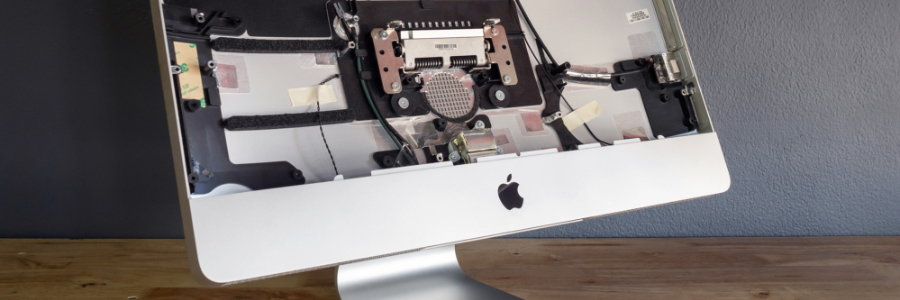
Remote work arrangements have become the new norm for many employees. If you’ve been working from home using your Apple desktop or laptop without a second monitor, here’s some good news: you have several options for external monitors — including your TV.
First, check what displays your Mac device supports by doing the following:
Click the Apple Menu (located on the left-hand side of the screen). Then click Support > Specifications.
Extend your MacBook’s battery life with this feature

If you’re concerned about your MacBook’s battery life, then a new feature from Apple is good news. Called Battery Health Management, it is designed to reduce the negative effects of overcharging on your device's battery. This feature will be released with the new macOS 10.15.5 Catalina update.
Keyboard shortcuts Mac users need to know
Some Mac users have been using their devices for years without learning many of the most useful keyboard shortcuts. That’s fine, but knowing these shortcuts would definitely make life much easier. Here are some of the most useful ones you should learn now.
Mac keyboard shortcuts that save you a click

Did you recently switch from Windows to Mac? If so, you’re probably still getting used to the Apple keyboard. The good news is it’s only slightly different from a non-Apple keyboard. The bad news is you’ll have to learn a whole new set of shortcuts.
Choosing your MacBook: which one is best?

Apple currently has four different models of MacBook laptops in their line-up: MacBook Air, MacBook Pro, MacBook Pro with Retina display, and the New MacBook. But choosing one over the other is not easy, as each one of them come in different sizes and specifications.
