
Phishing scams have been around for years, and they’ve gotten smarter with time. Recently, criminals have been targeting iPhone users through a voice phishing scam that makes the call appear like it’s coming from Apple Support. Fortunately, there are simple but effective tips so you don’t fall prey to this notorious scheme.
How to protect your iPhone from phishers

Mac speed issues: Here are tips to fix them

When your previously blazing fast Mac is taking longer than usual to start up, launch applications, or open and save files, something’s clearly wrong. Some users think it’s due to the macOS Mojave update, but it could also be due to other issues.
Apple’s 2nd 2018 product launch
Apple launched a couple of products in September. As usual, it’s just slim pickings — we were treated to three variants of the iPhone and the latest model of the Apple Watch. However, the trillion-dollar company was apparently not yet done, as it launched yet even more devices on October 30. Check out the additional lineup below.
6 Tips to keep your Mac computer safe

If you’re a Mac user, data privacy and security should be your #1 priority. Without the right security measures, you’re inviting cybercriminals to steal your critical data. Are you willing to take the risk? Secure your computer and fortify your defenses with these six tips.
What’s better with the iPhone XS

Good news iPhone users, Apple has released the iPhone XS and XS Max. The company also has plans to release an iPhone XR in the future, but for now, let’s examine the latest iteration of Apple’s smartphone, the iPhone XS.
Like most Apple smartphones, the iPhone XS is expensive, especially when compared to other smartphones.
Which web browser do you prefer?

The battle of the web browsers has raged on for years. While the classic rivalry between Netscape Navigator and Microsoft Internet Explorer has long passed, we are now facing a broader field of competition. There are currently four web browsers competing for space in your hard drive, and we've drawn up this list of their advantages and disadvantages to help you choose.
5 iPad ideas for SMBs to consider
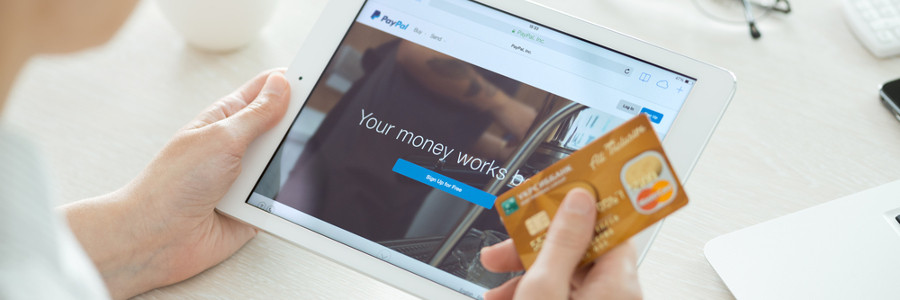
A decade ago, we could only imagine running a company on computers as thin as a wallet. But ever since Apple’s iPad emerged, employees can work on all sorts of productivity apps while they’re outside the office, conveniently and stylishly. Here are five ways your employees can enhance their mobile experience with iPad apps.
A foolproof guide to installing iOS

When a new iOS update is released, you may get so amped that you immediately tap on that Download and Install button. The next thing you know, you’re saddled with new software that causes headache after headache. To avoid this fate, here are six tips to ensure that your next iOS update goes without a hitch.
Tips to extend your iPhone battery life

You’re on the go today – out of the office, out of the house, and attending a business event. Everything is going fine and dandy until you look down at your phone to see your worst nightmare come true. Your iPhone is at 25 percent battery life. Before you panic, know that the answer to your dilemma may just be in the palm of your hand: in the Settings of your phone.
iPhone Wars: iPhone X and iPhone 8 Plus

Deciding between two different iPhone models may not seem much of a dilemma, but if you are presented with two highly functional phones with excellent sets of features, it comes down to your personal needs and preferences. Let’s compare the two most recent iPhones.
