
Advertisements and suggestions based on our internet browsing habits are sources of online tracking. However, autocomplete passwords are also another source of online tracking. This sneaky tactic comes with serious security risks. Here’s how you can stop it from targeting you.
Autocomplete password risks

Here’s how to make Google Chrome super fast
As one of the fastest browsers in the market, Google Chrome is the perfect match for quick-paced internet users of the 21st century. But like any technology that stores information, Chrome’s performance can slow down and frustrate its users. It can also affect their productivity and lower their motivation.
Why sync your Android phone with Chrome?

Using a Google account across your devices makes many things like email, web browsing, and managing your calendar a lot more convenient. Here are five tricks you might not yet know you can do when you sync Chrome with your Android phone.
Send directions from Google Maps to your Android phone
While Google Maps works great on smartphones, it’s often easier to use on larger screens.
Which web browser do you prefer?

The battle of the web browsers has raged on for years. While the classic rivalry between Netscape Navigator and Microsoft Internet Explorer has long passed, we are now facing a broader field of competition. There are currently four web browsers competing for space in your hard drive, and we've drawn up this list of their advantages and disadvantages to help you choose.
The best Chrome extensions for productivity

Well over half of all surveyed internet users utilize Google’s Chrome web browser, and it’s not difficult to see why. The ability to customize your browser via third party apps, extensions, and more makes web surfing a truly personalized experience.
Chrome: From HTTP to HTTPS

Google Chrome currently marks HTTPS-encrypted sites with a green lock icon and “Secure” sign. And starting in July, Chrome will mark all HTTP sites as "not secure.” Google hopes this move will nudge users away from the unencrypted web. Read on to learn more about the forthcoming changes.
Biometrics Authentication for Mobile Devices

Google Chrome, Microsoft Edge, and Mozilla Firefox will soon support web-based biometric authentication. The leading internet browsers are expected to allow users to sign into online profiles through fingerprint scanners, voice authentication, facial recognition, and the like.
What private browsing can and can’t do

Privacy is a precious commodity in this era. Every website you visit or app you download leaves a digital footprint that can be tracked by anyone. Fortunately, major web browsers all offer private browsing features to keep your internet activity somewhat safe from prying eyes.
Safe web browsing requires HTTPS
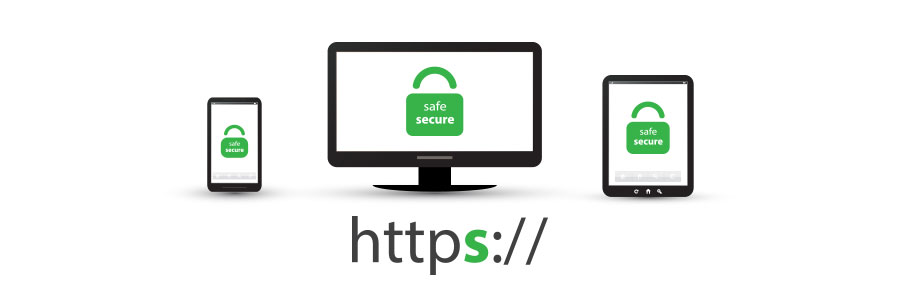
Very few internet users understand the meaning of the padlock icon in their web browser’s address bar. It represents HTTPS, a security feature that authenticates websites and protects the information users submit to them. Let’s go over some user-friendly HTTPS best practices to help you surf the web safely.
Chrome users panic as new scam spreads

With evolving technology comes evolving threats. Recently, a researcher revealed that a new type of scam freezes Google Chrome and tricks users into believing that their network security has been compromised. Little did they know that following instructions listed on the screen will lead to an actual security breach.
